The platform
One data spine. Three purpose-built apps.
Bank-owned and traditional retail side by side, in one system, at one brokerage. Office, field, and agents on the same live record.
Bank-owned and traditional retail side by side, in one system, at one brokerage. Office, field, and agents on the same live record.
The PropertyFlow core carries every plan. Modules add the business lines you actually run, and switch on and off per brokerage.
The property file every plan is built on.
See PropertyFlow →Due dates on the client's cadence, review and stamping, inspector pay.
See InspectionFlow →Order a BPO from any agent, review it, file it, pay the invoice.
See BPOFlow →One Jobs board from bid to invoice, quotes to the client, recurring routes.
See VendorFlow →Offer portal to closing packet, and CommissionFlow for the money.
See TransactionFlow →Leases, rent into escrow, owner draws and a tenant app.
See RentalFlow →Document intake, the public portals, the QuickBooks export, CustomFlow.
See DocumentFlow →FieldFlow for inspectors and vendors, AgentFlow for agents. On the phone they already carry.
See the apps →The whole platform in two minutes. More videos →
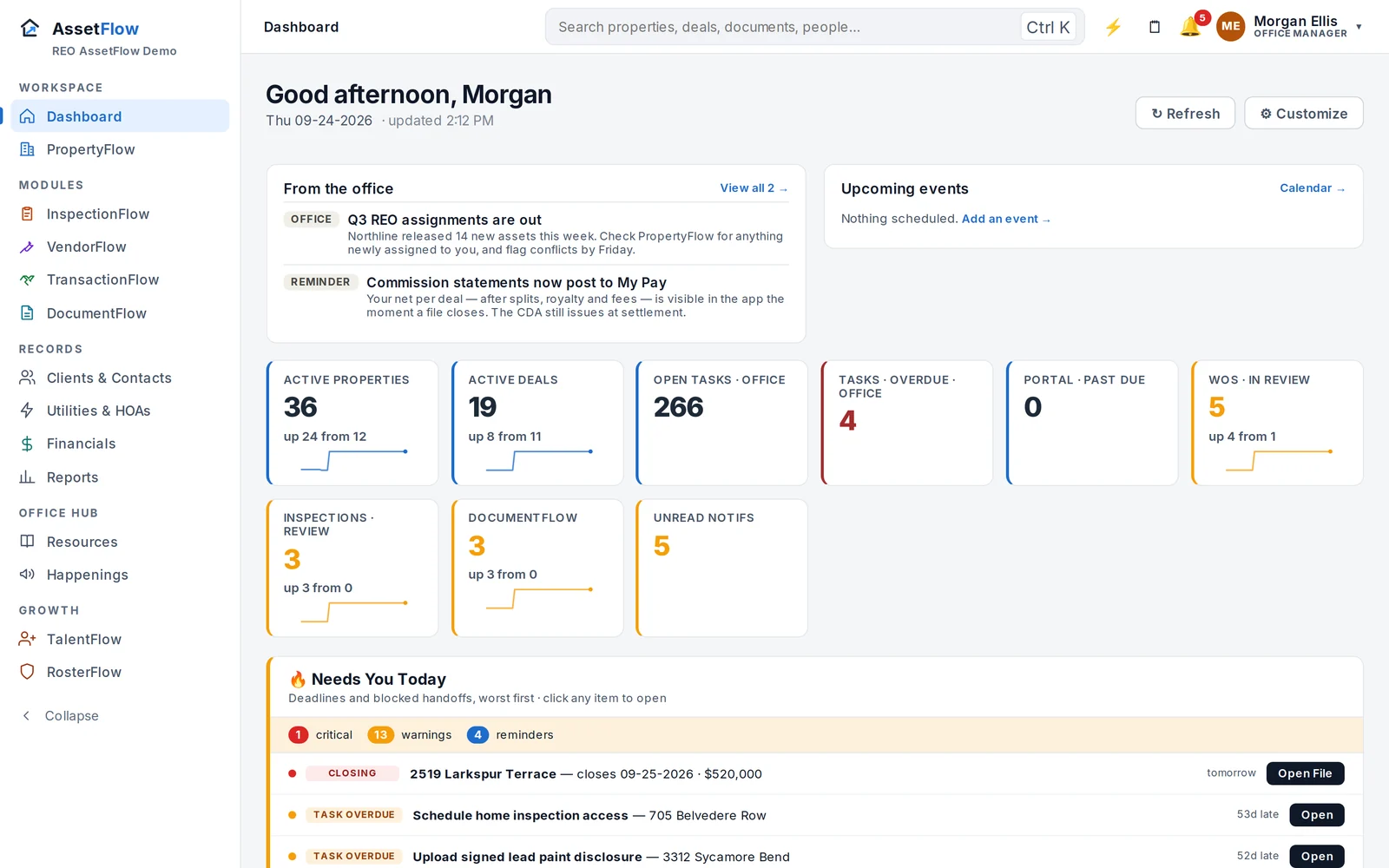
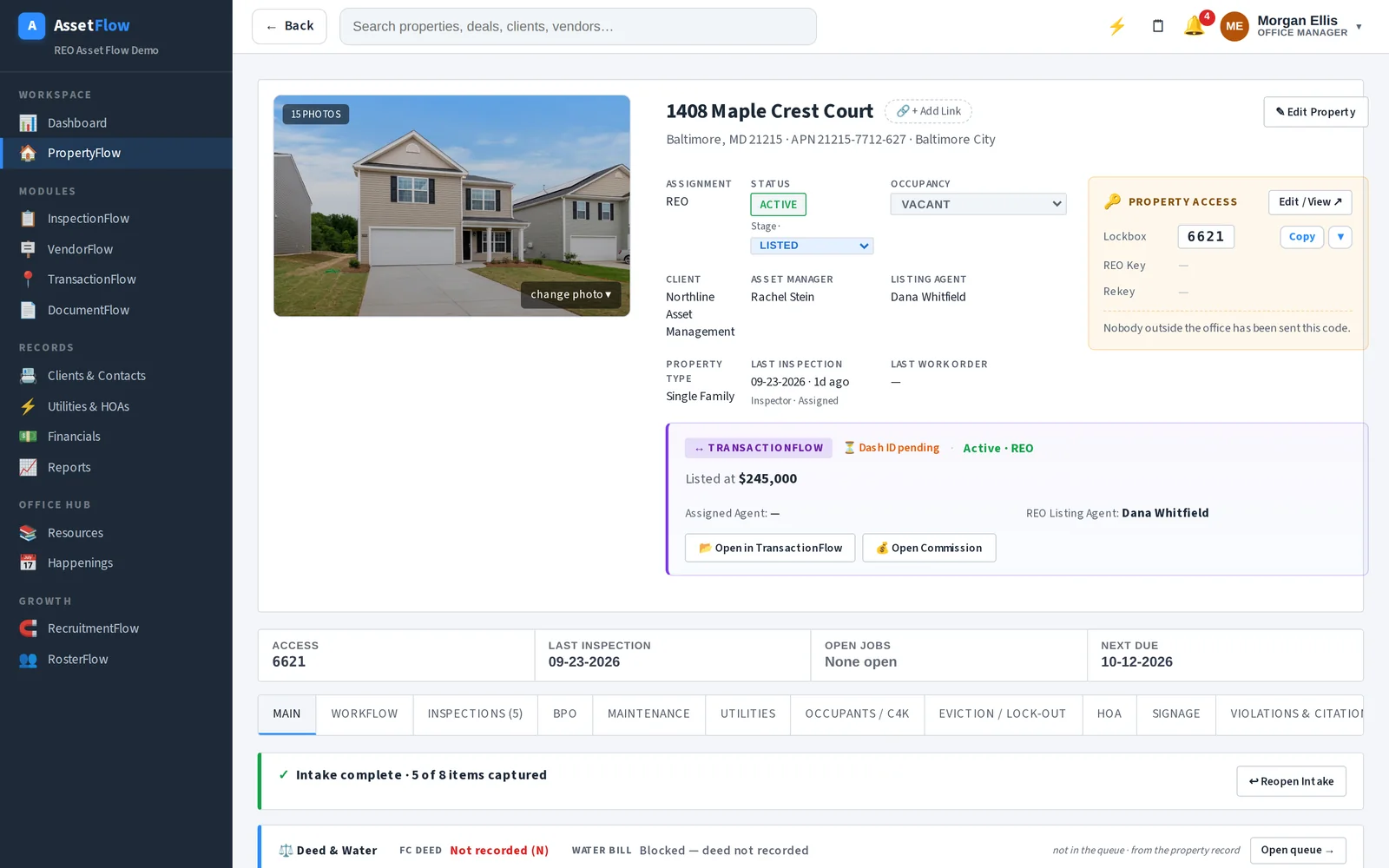
The back-office workspace for the owner, broker, office manager, and transaction coordinator. Built for multi-property work on a real screen: a dashboard you assemble from a library of cards per module, a property file with every tab the office needs, and the modules you run beside it.
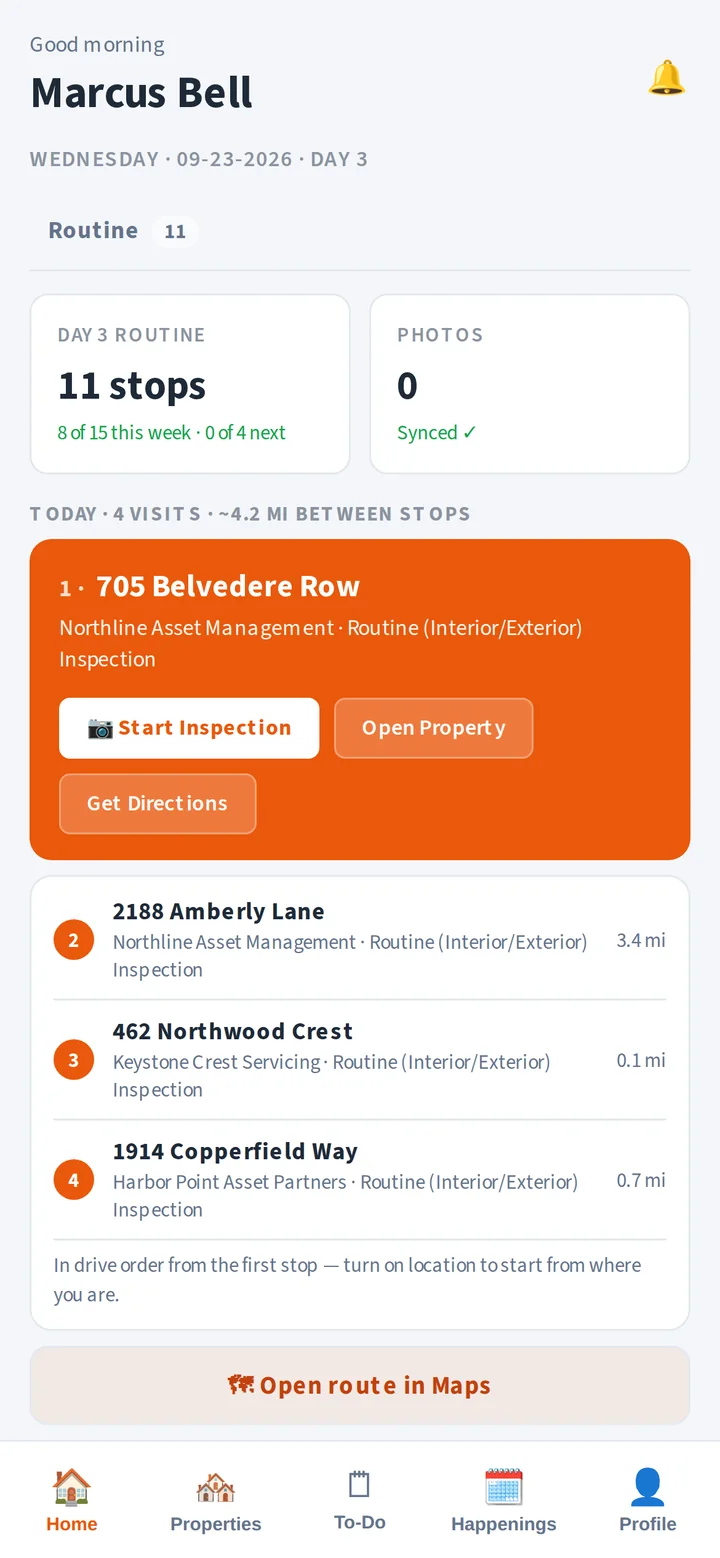
The phone app for the people at the property. An inspector opens the day's route in drive order, walks up, shoots the photos the visit calls for, updates occupancy, and files the report. A vendor crew sees the same app on its vendor side: work orders, before-and-after photos, and the week's grass cuts.
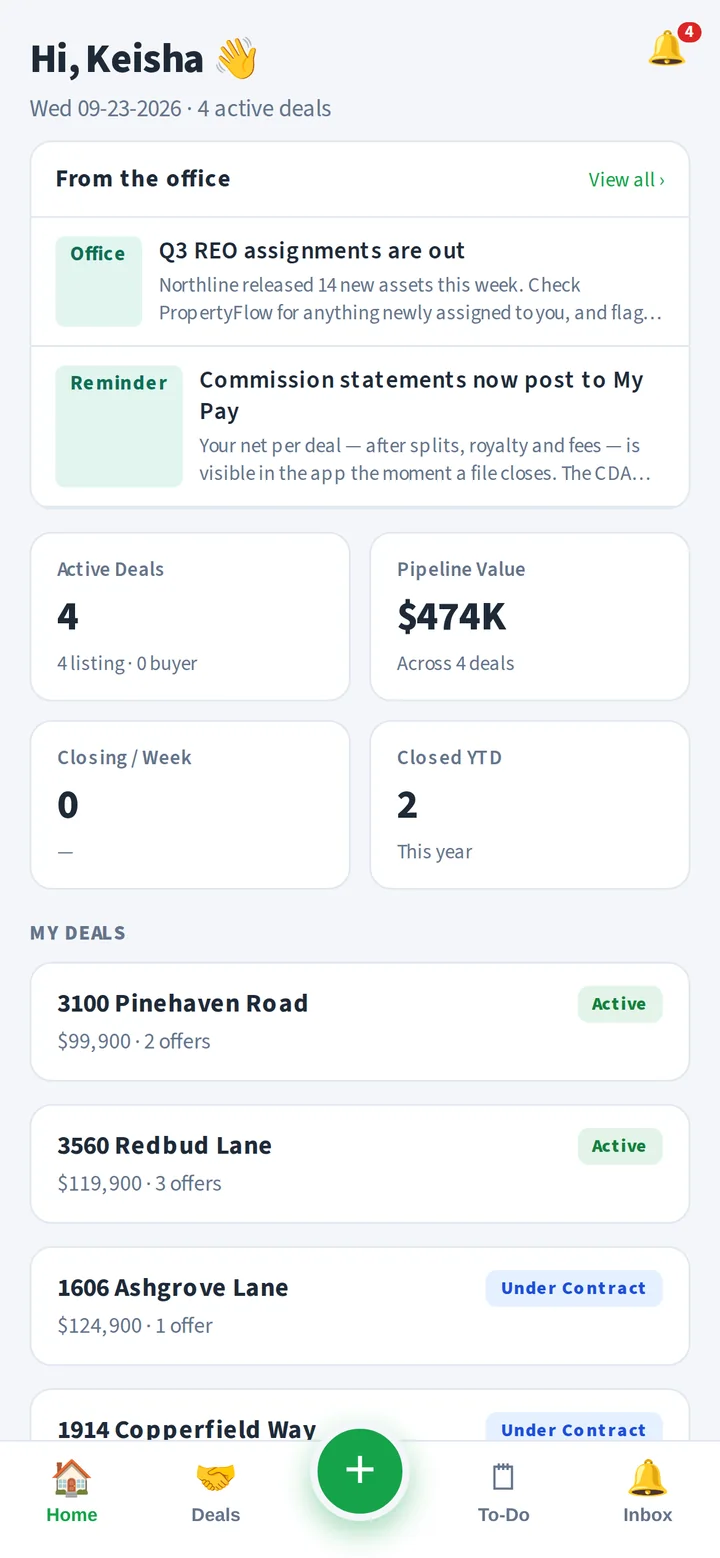
The agent's phone app. An offer comes in at an open house; the lockbox code is one tap away and can be shared as a link; deadlines surface up top. Agents see only their own deals. The heavy reconciliation and commission math stay on desktop where they belong.
Every app reads and writes one property spine, so an inspection filed in the field shows up in the office as it lands, and an agent's offer is reconciled against the same record the coordinator sees. Nothing is ever hard-deleted; an archived property still opens.
Properties, HOAs, utilities, deeds, vendors, deals, leases, documents — entered once, surfaced wherever they're needed, with the history of every change kept.
Inspectors see field work, agents see their own deals, vendors see their own jobs, the office sees everything. Enforced in the database, not just hidden in the menu.
Client reporting modeled on real servicer requirements, monthly exception reports, and a morning email that tells the office what is due, late, and waiting on a vendor.
We'll load a few of your real files and show office, field, and agent side by side.